
It does not create or change your treatment plan. Your prescription, medication instructions, and licensed clinician remain the source of truth.
What makes a reminder useful?
ShotNest schedules optional notifications on your iPhone using the routine you enter. No ShotNest account or advertising profile is required.
Notifications depend on your iPhone settings, Focus mode, device state, and permissions. If you do not receive an expected reminder, check ShotNest and your iPhone notification settings.
Turn on shot reminders
- Review your saved medication and shot cadence in ShotNest. They should reflect your prescribed plan.
- Open Settings → Notifications in ShotNest.
- Turn on Shot Reminder. Allow notifications when your iPhone asks.
- If you previously denied permission, use the button in ShotNest to open iPhone Settings and allow notifications there.
- Return to Summary and check that the next-shot information matches the routine you intended to record.
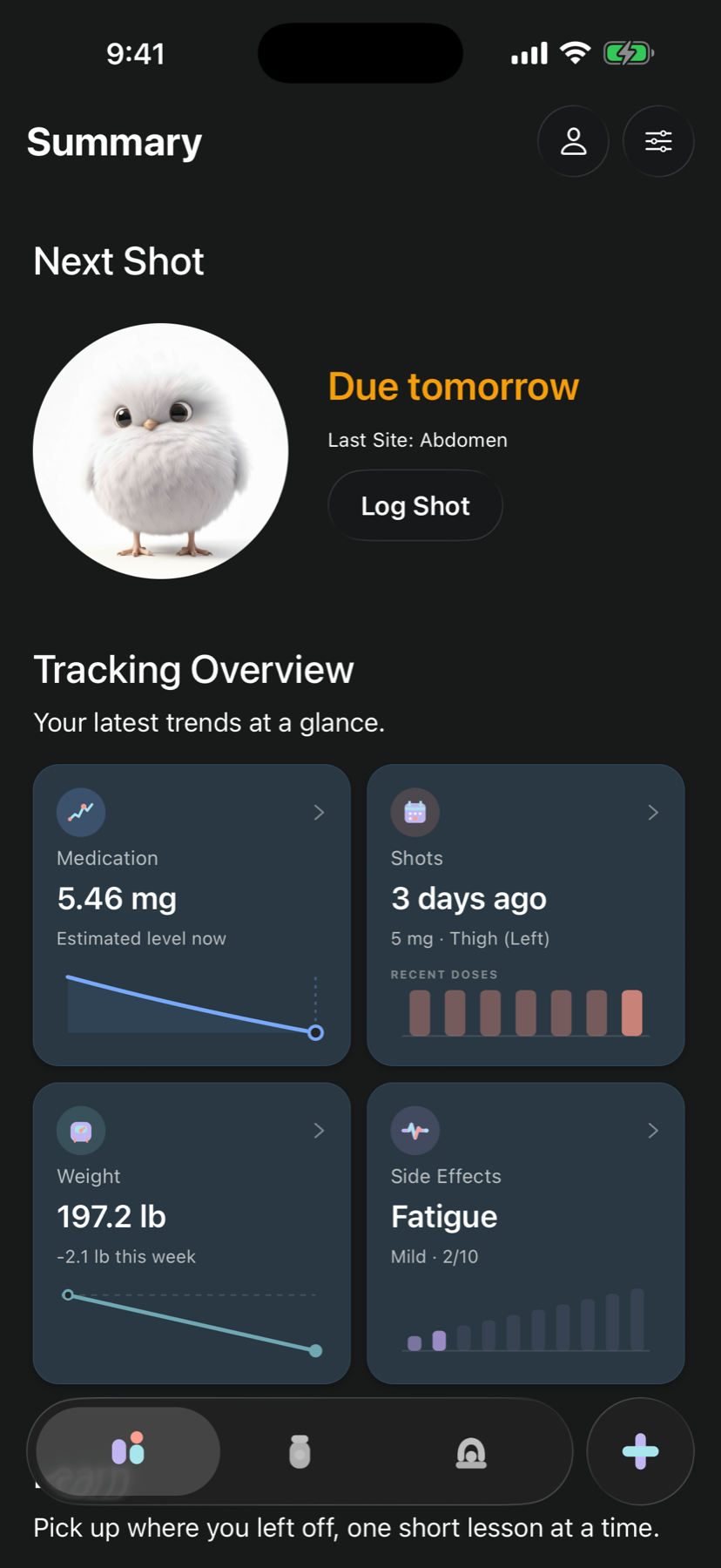
Reminders are scheduled on your iPhone. ShotNest does not send your shot schedule to a push-notification server. A reminder is not confirmation that medication should be taken at that time.
If a reminder does not arrive
- Check that Shot Reminder is still enabled inside ShotNest.
- In iPhone Settings → Notifications → ShotNest, check Allow Notifications and the alert options you want.
- Review your active Focus settings and Scheduled Summary. They can silence or delay how notifications are presented.
- Reopen ShotNest and review the saved next-shot schedule, especially after a plan change or data reset.
- If the problem continues, contact ShotNest support with your app and iOS versions and the setting that did not behave as expected. Do not send health records or label photos unless necessary.
Do not use notification delivery as a safety check or take another shot because an alert is missing. Questions about a missed or uncertain dose belong with your medication instructions and clinician or pharmacist.
Apple Health is optional
With your permission, ShotNest can import the body measurements you select. Saving weights from ShotNest to Apple Health is a separate choice.
You can change these permissions in the Health app or iPhone Settings. Turning off access or deleting ShotNest does not remove information already saved in Apple Health.
Choose what to share with Apple Health
When you enable a Health connection in ShotNest, review Apple’s permission sheet and allow only the data types you want to use. Importing body measurements and exporting weights are separate choices; enabling one should not be treated as enabling the other.
If an expected measurement is missing, check that it exists in Health and that the relevant permission is enabled. Health access is optional: you can use ShotNest without granting it. The privacy guide explains what remains in Health when you delete ShotNest data.
What appears on Apple Watch
When available and enabled, your paired Apple Watch can show your next shot, medication and dose, suggested injection site, and medication status. It does not contain your complete ShotNest history.
Read the full explanation in the Privacy Policy or visit Support for answers about accounts, records, iCloud Sync, Apple Health, Apple Watch, and deletion.
Important boundaries
ShotNest does not prescribe medication, verify that a dose is appropriate, or provide urgent safety alerts. Never rely on a notification, Apple Health entry, or medication estimate to decide whether or how to take medication.
If your schedule changes, you miss a dose, or you are unsure what to do, follow the medication instructions and contact a licensed clinician or pharmacist.