

Use the instructions for your exact medication and the training from your clinician or pharmacist. ShotNest cannot check that a site or technique is appropriate.
Save the site you actually used
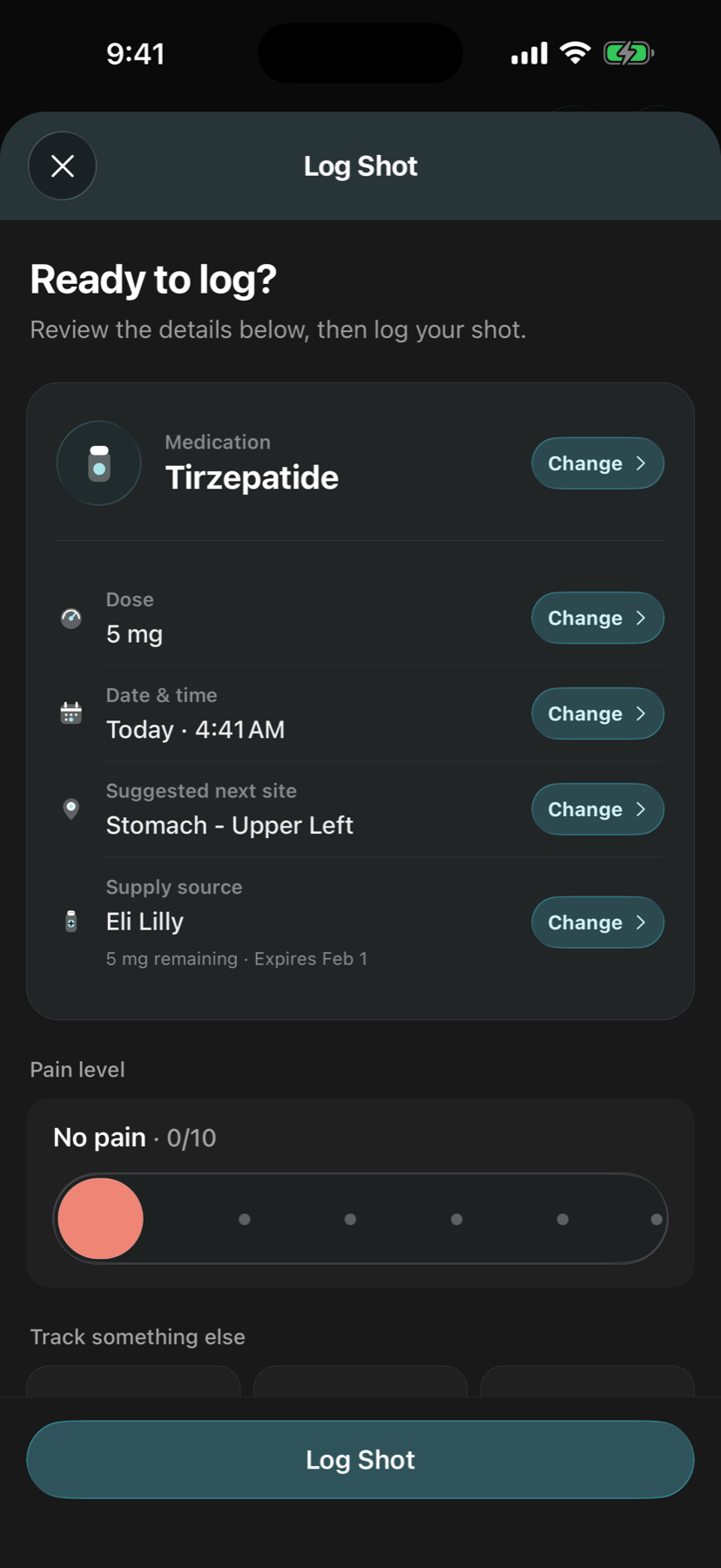
In Log Shot, review the injection-site field along with the medication, dose, date, time, and supply source. If the suggested site differs from where you injected, tap Change and correct it before saving.
Record the side and area as accurately as the app allows. Do not accept a suggested value just to finish the form. A record helps only when it describes what happened.
Review previous sites before your next record
- Open your shot history from Summary.
- Select a previous shot to review its date and recorded site.
- If an entry is incorrect, choose Edit, correct the site to what happened, and save.
- When you record the next shot, check the new site field instead of assuming it is correct.
Reviewing history can help you remember sites you already recorded. It cannot fill in shots you never logged or verify where an injection occurred.
The shot history walkthrough explains editing records and checking any related supply adjustments.
A useful history example
Suppose your last two saved records show “left thigh” and “right thigh.” That gives you a record of those two entries. If you later remember that the second entry was wrong, correct that record rather than planning around inaccurate history.
If you cannot remember a site, do not guess to make the timeline look complete. Ask your clinician about clinical rotation questions; this guide does not prescribe a rotation order or an injection location.
Keep tracking separate from treatment decisions
Approved areas and instructions depend on the product and presentation. This page explains recording sites in ShotNest, not how to inject. Follow your current medication instructions and contact a licensed clinician or pharmacist about technique, site choice, reactions, or uncertain records.
ShotNest does not diagnose a skin reaction, verify that a shot was taken, or decide whether another dose is safe. App suggestions and incomplete history are not a substitute for clinical guidance.
Sources and further reading
Product steps are based on ShotNest’s shot log and history screens. For medication instructions, use the material supplied with your own prescription. This is a product guide, not a clinically reviewed injection tutorial.